
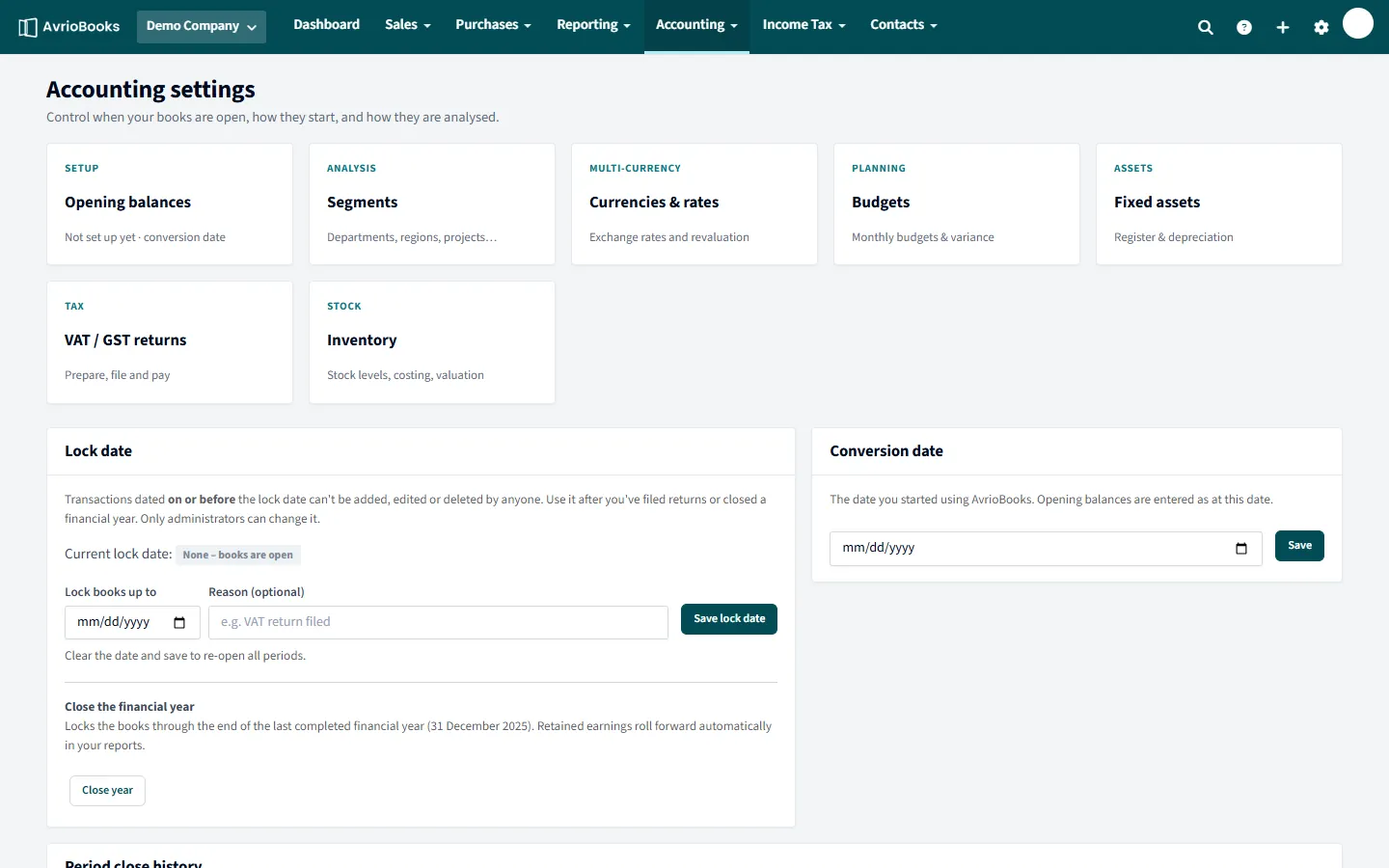
1. The books are locked
If you see “The books are locked up to [date]. A transaction dated [date] can’t be added, changed or deleted.”, the transaction falls on or before your lock date.
- An administrator can change the date under Accounting > Accounting settings > Lock date. Clear it to re-open all periods.
- If you do not want to re-open the period, date the new transaction after the lock date instead.
See Opening balances and lock dates.
2. The business is read-only
If you see This organisation is read-only, the subscription has ended, so changes are paused. You can still view and export everything and nothing has been deleted. Choose a plan to switch editing back on. See Plan limits and locked features.
3. You do not have access
If you see You don’t have access to this, your role does not include that area. Ask an administrator to change your role or your feature access under Users & roles. See Invite users and set roles.
4. The document is waiting for approval
With approvals on, an invoice or bill shows Awaiting approval until an approver acts. Until then it is not posted to your accounts. If you submitted it yourself you may not be allowed to approve it. See Set up approvals.
5. The feature is on a higher plan
A message such as “Budgets is on the Standard plan” means your plan does not include that feature. Upgrade to use it.
A quick way to find the cause
| What you see | Most likely cause | Fix |
|---|---|---|
| A message about the books being locked | The date is on or before the lock date | Use a later date or ask an administrator to change the lock date |
| Buttons are missing or greyed out | Your role is view only, or the business is read-only | Check your role and the subscription |
| “You don’t have access to this” | Your role does not include that area | Ask an administrator for access |
| An invoice cannot be changed | It is awaiting approval, or the period is locked | Ask an approver to send it back, or change the date |
| “[Feature] is on the [plan] plan” | The feature needs a higher plan | Upgrade your plan |
Ask the right person
Lock dates, roles and approvals are all changed by administrators, so if you cannot do it yourself, tell them exactly what you were trying to do, the date involved and the message you saw. That usually lets them fix it in a minute.
Still not working?
Contact support with the exact message and a screenshot. See also Common error messages and what to do.