
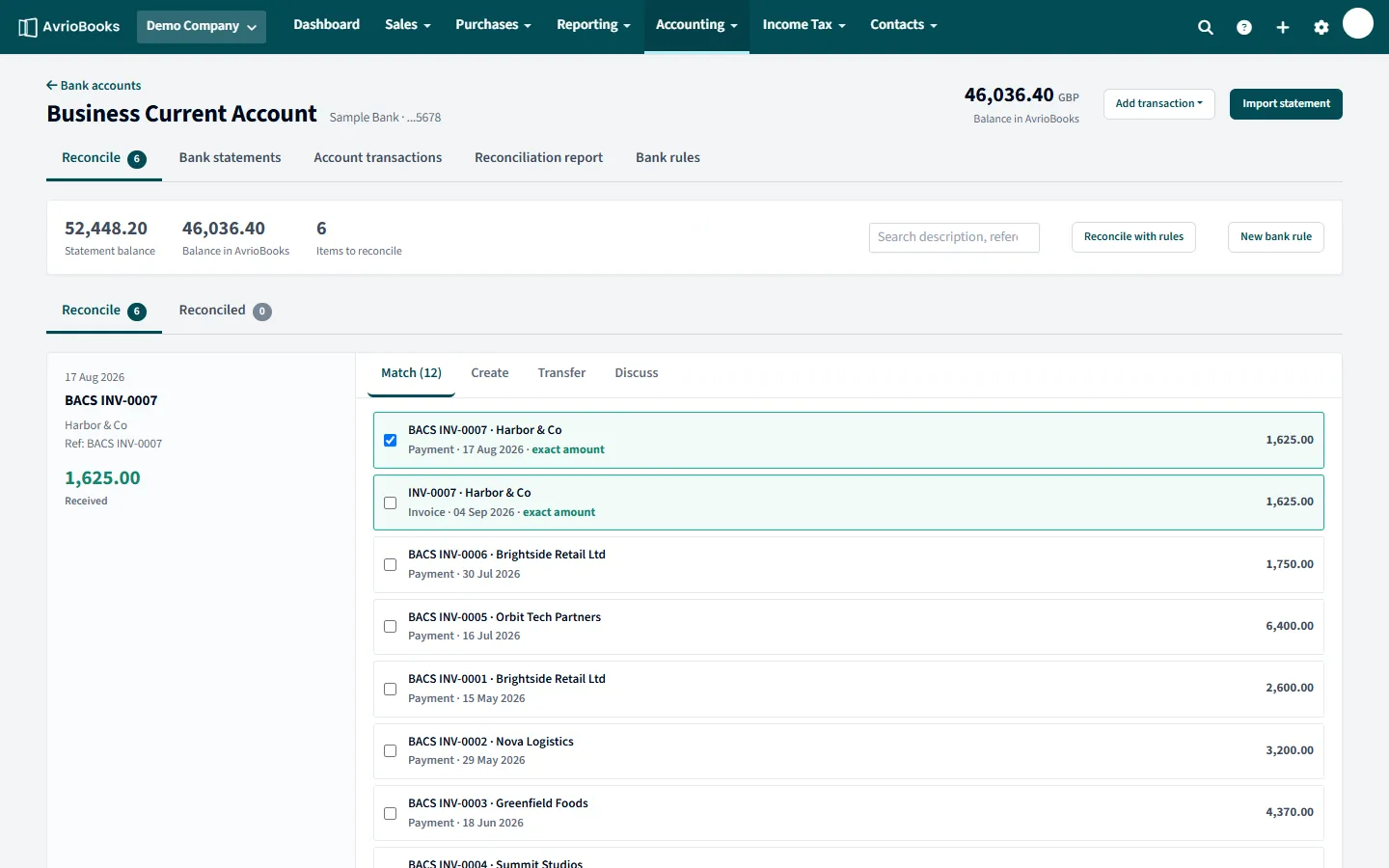
Work through these checks
- Items still to reconcile. Look at Items to reconcile. Every unmatched statement line is a difference. Reconcile them or use Reconcile with rules.
- Transactions in AvrioBooks that are not on the statement yet. On the account’s Account transactions tab, entries marked Unreconciled are in your books but have not appeared on an imported statement. They may be payments that have not cleared, or entered by mistake.
- A missing statement period. If you imported March and May but not April, the balances will not agree. Check Bank statements for gaps.
- The opening balance. Check the account’s opening balance and the opening balances page. A wrong figure here carries through every month. See Opening balances and lock dates.
- Duplicate or wrongly matched lines. On the Reconciled tab use Undo or Remove & redo on anything that looks wrong.
- A transfer recorded on only one side. Transfers between your accounts need to appear in both. Reconcile the other account’s line with Match.
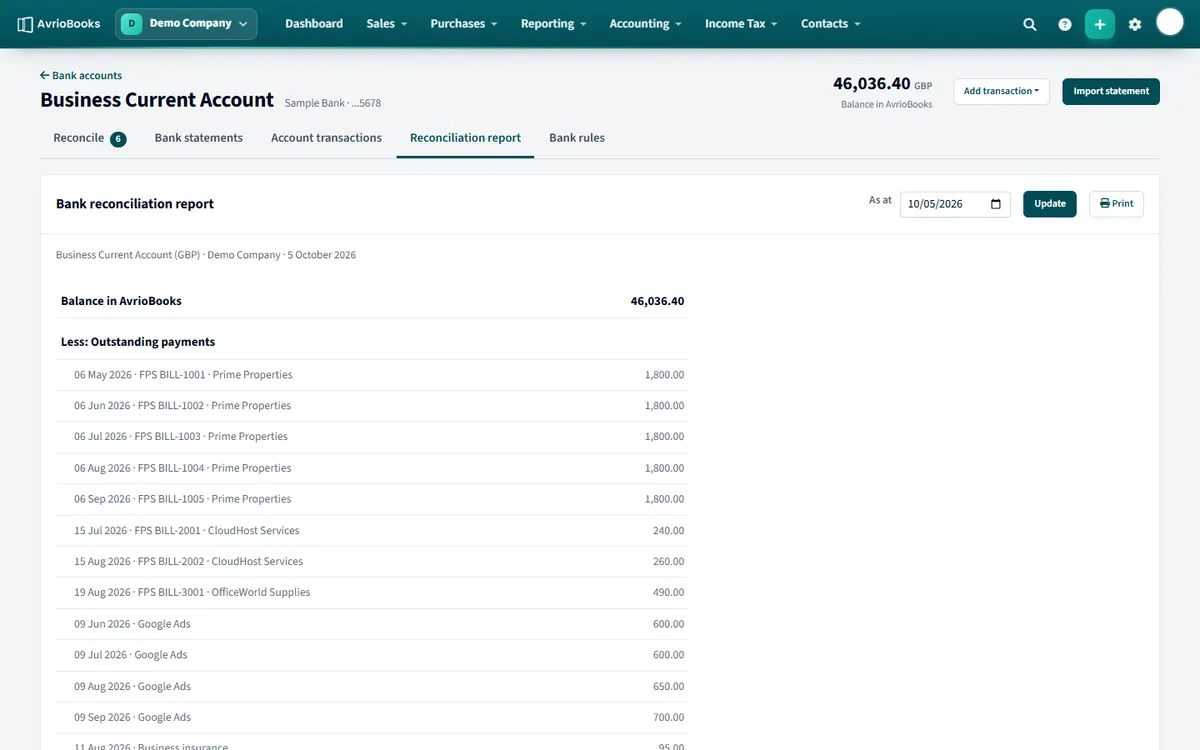
Prove it with the reconciliation report
Open the Reconciliation report tab on the account. It starts from the balance in AvrioBooks and lists the outstanding payments and receipts, so you can see exactly how it ends up equal to your statement.
A worked example
Your statement closes at 5,200.00 but AvrioBooks shows 5,900.00, a difference of 700.00. You open the reconcile screen and see two items to reconcile: a supplier payment of 450.00 and a bank charge of 250.00, both on the statement and not yet matched. Reconciling the supplier payment against its bill, and creating the bank charge from the Create tab, removes both items. The balances now agree, because the difference was simply unmatched statement lines.
Quick reference
| Symptom | Likely cause | Where to look |
|---|---|---|
| AvrioBooks higher than the statement | Payments recorded in AvrioBooks that have not cleared, or statement spend not yet entered | Account transactions tab, Unreconciled entries; Items to reconcile |
| AvrioBooks lower than the statement | Receipts on the statement not yet matched, or a missing statement period | Bank statements tab for gaps; Reconcile tab |
| A fixed difference every month | A wrong opening balance | Account opening balance and Opening balances page |
| The difference equals one transaction | A duplicate or a missing entry | Reconciled tab; look for the same amount twice |
When it still does not agree
Run the Reconciliation report for the statement date. It starts from the balance in AvrioBooks and lists outstanding items, so any remaining gap is something that is in the statement but not in your books, or the other way round. If you are stuck, send us the report through support.