
Open the reconcile screen
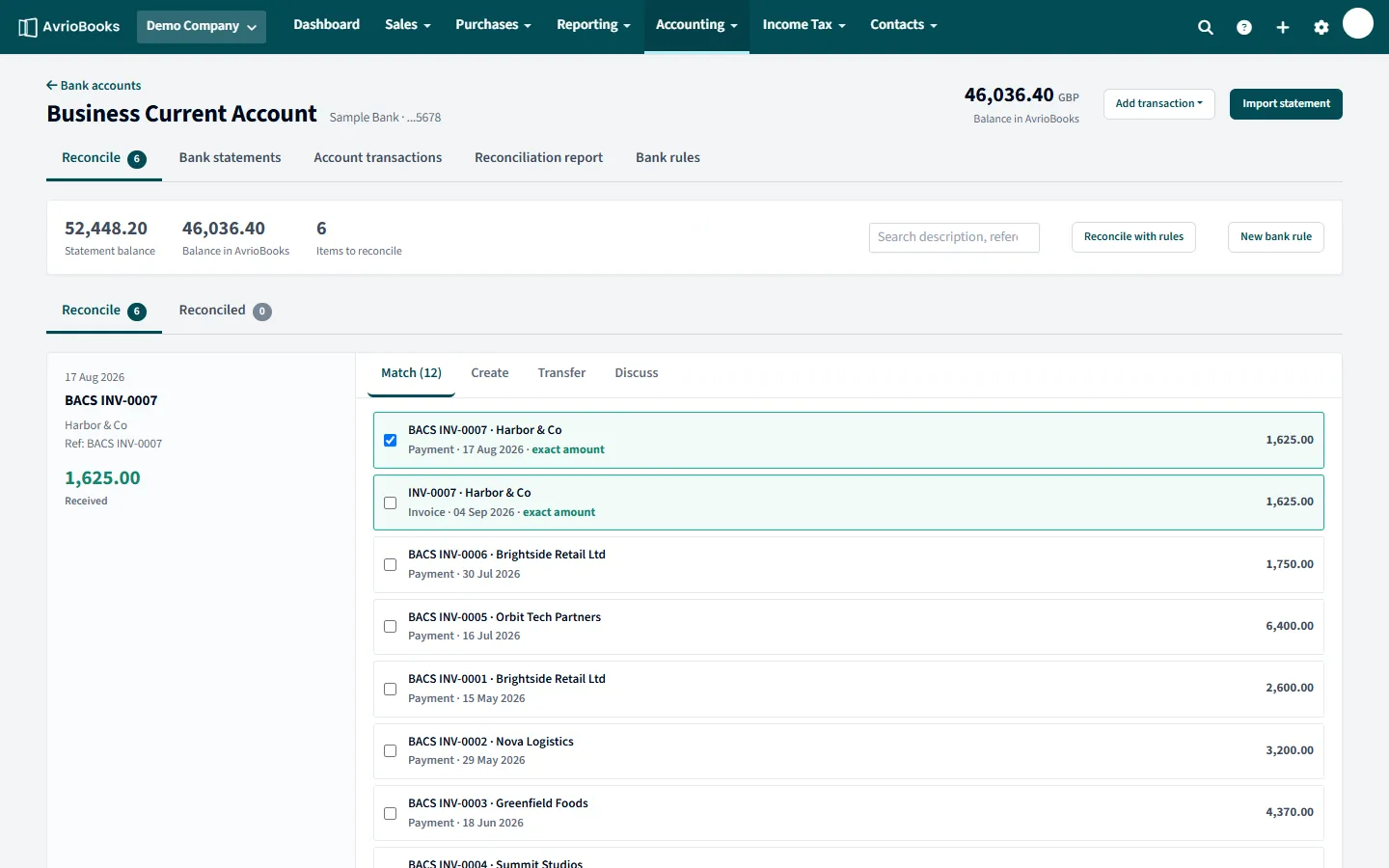
Select Accounting > Bank accounts, then Reconcile on the account. The top of the screen shows the statement balance, the balance in AvrioBooks and the items to reconcile. Use Reconcile and Reconciled tabs to switch between what is left and what is done.
Reconcile a line
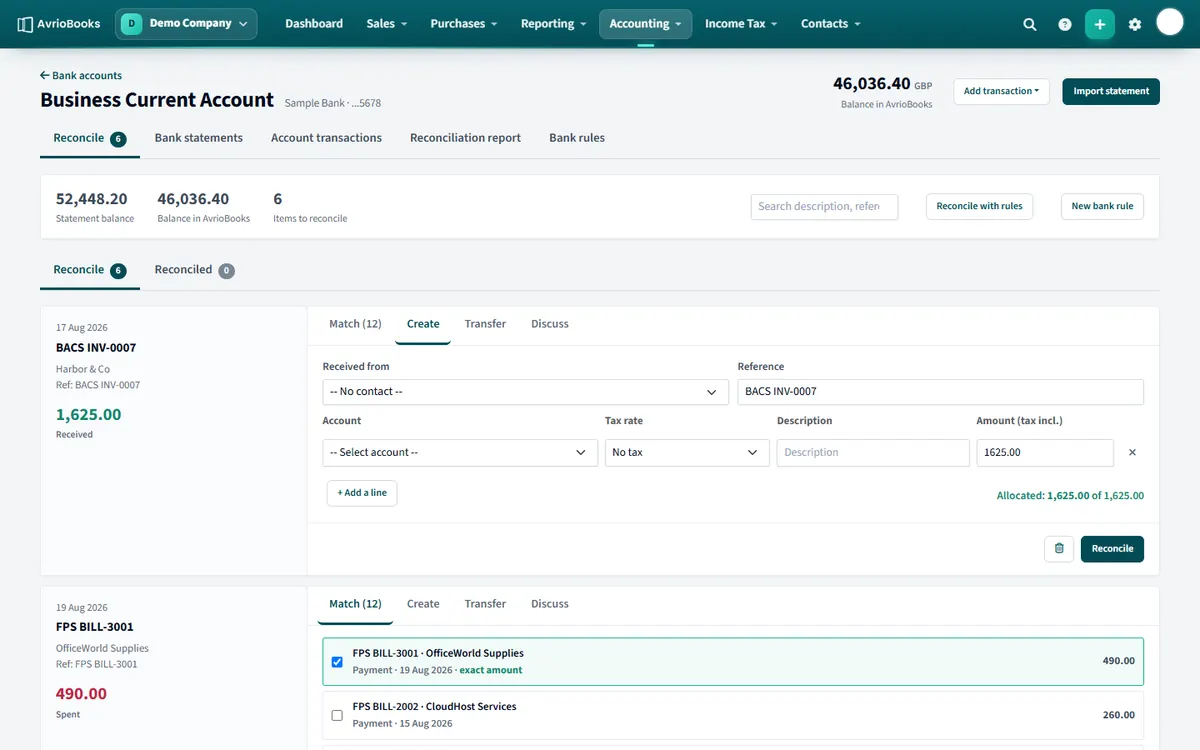
Each statement line has four tabs:
- Match: tick the open invoices, bills, unreconciled transactions or transfers that this line settles. Exact amounts are highlighted and pre-selected. You can tick several items if one bank line covers more than one. Select Reconcile.
- Create: when nothing exists yet, enter who it was received from or paid to, a reference, and split the amount across one or more accounts with a tax rate. Amounts are tax inclusive. Select Reconcile to create the transaction and reconcile the line.
- Transfer: for money moving between your own accounts, choose the other account. A transfer is created and the line reconciled; when the other account’s statement shows the matching line, use Match to reconcile it. For a foreign-currency transfer you enter the amount received.
- Discuss: leave a note for your bookkeeper about the line.
Let AvrioBooks do the routine ones
Select Reconcile with rules to reconcile every line that has exactly one exact match, or that matches one of your bank rules. AvrioBooks asks you to confirm first.
Made a mistake?
On the Reconciled tab, Undo unreconciles the line. Remove & redo unreconciles it and also deletes the transaction that was created for it.
Check your work
The Reconciliation report tab on the account shows the balance in AvrioBooks and the outstanding items, so you can prove it agrees with your statement.
A good reconciling routine
- Import the latest statement.
- Select Reconcile with rules to clear every line with one exact match or a matching rule.
- Work through the rest on the Match tab, ticking the right invoices or bills.
- Use Create for items that are not in your books yet, such as bank fees.
- Use Transfer for money moving between your own accounts.
- Leave a note on anything you are unsure about in Discuss, then ask your bookkeeper.
- Finish with the Reconciliation report.
Tips
- Reconcile little and often. Fifteen lines a week is far easier than five hundred at month end.
- Create bank rules for anything that repeats; they pay for themselves quickly.
- If a suggested match is not the right amount, check the invoice for part payments before you force it.
Frequently asked questions
Can one bank line be matched to several invoices or bills?
Yes. On the Match tab you can tick several items when a single bank line settles more than one.
How do I undo a reconciliation?
Open the Reconciled tab and select Undo. Remove & redo also deletes the transaction that was created for the line.
What does Reconcile with rules do?
It reconciles every line that has exactly one exact match, or that matches one of your bank rules. AvrioBooks asks you to confirm first.