
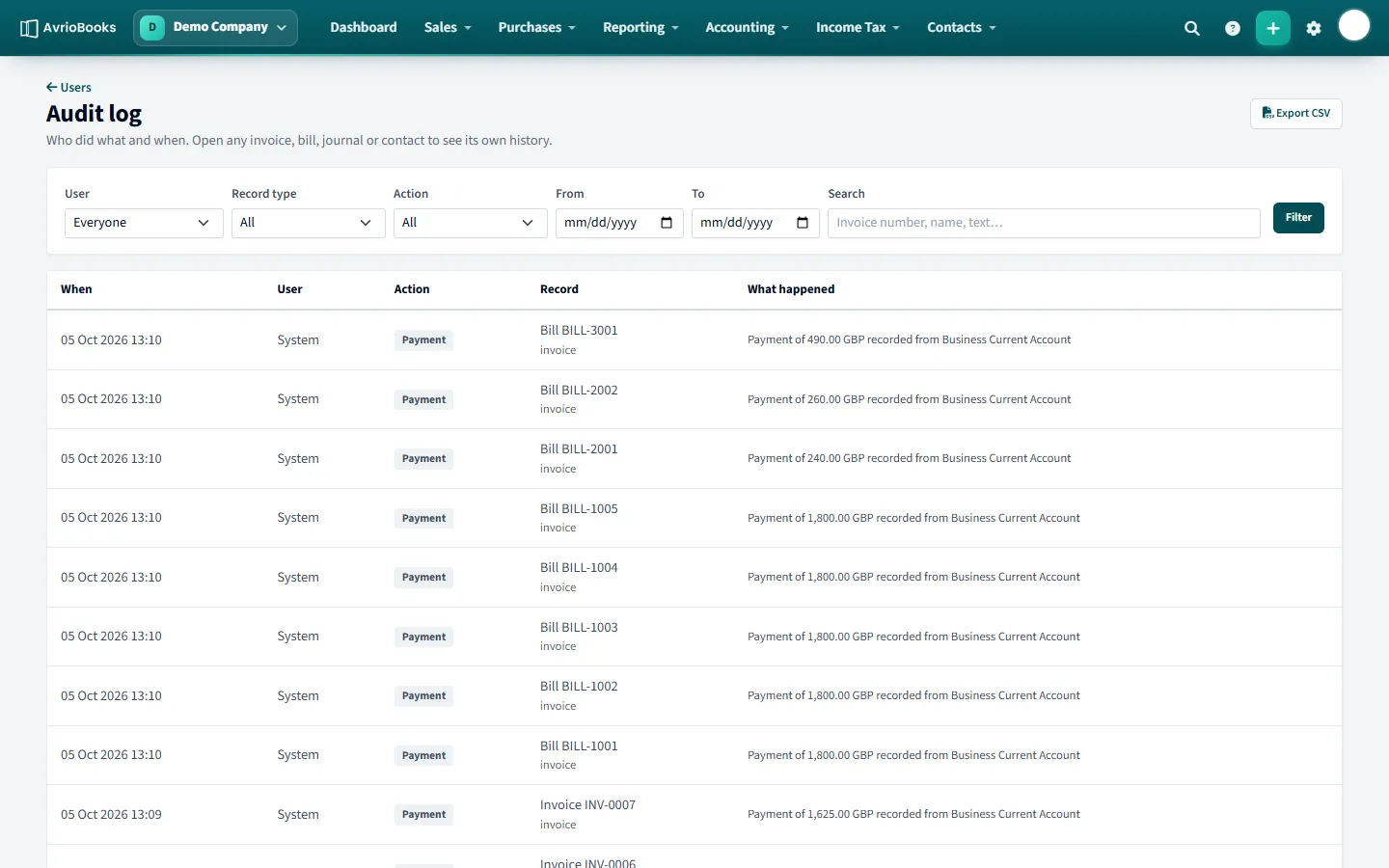
Open the log
Open your profile menu and choose Audit log.
What it shows
Each row shows when it happened, who did it, the action (for example created, changed, emailed, approved or payment recorded), the record it relates to and what happened.
Filter and export
- Filter by user, record type, action and a date range, or search by document number or text.
- Select Export CSV to download the results.
Open any invoice, bill or journal and use its History & notes panel to see the same information for that one record.
What is recorded
The audit log keeps field-level history for key records plus workflow events. You will see entries when invoices, bills, journals and similar records are created or changed, when documents are emailed or approved, and when payments are recorded.
Questions it answers
- Who changed the amount on this bill, and what was it before?
- When was this invoice emailed, and to which address?
- What did a particular team member do last week?
- What was approved or sent back, and by whom?
Find what you need fast
- Filter by user to see one person’s activity.
- Filter by record type and action to narrow to, say, every payment recorded.
- Set From and To dates to focus on a period, such as the month before a lock date.
- Search for a document number to see everything that happened to it.
Sharing with auditors
Select Export CSV to download the filtered results and hand them to an auditor or accountant. Pair it with the Journal Report and the period close history for a full picture of how the books reached their final state.