
Exchange rates
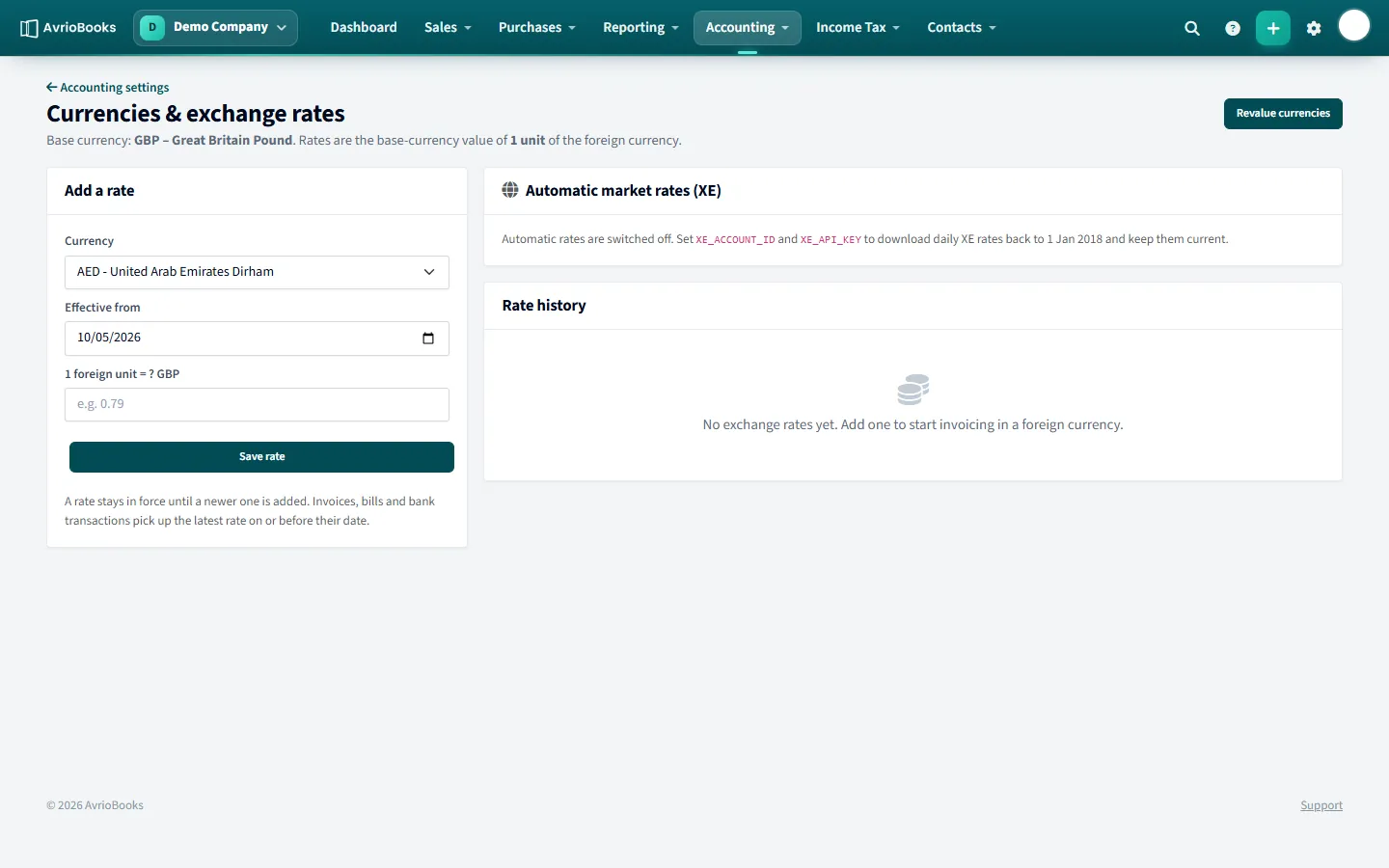
Select Accounting > Currencies. Rates are the value of one unit of the foreign currency in your base currency.
Add a rate yourself
- Under Add a rate, choose the currency and the effective from date.
- Enter how many units of your base currency one unit of the foreign currency is worth.
- Select Save rate. A rate stays in force until a newer one is added.
Invoices, bills and bank transactions pick up the latest rate on or before their date. Automatic market rates are downloaded daily when your business has them switched on, so you do not have to enter rates by hand.
Invoice in a foreign currency
Choose the currency on an invoice or bill. An exchange rate field appears, pre-filled from your rates, which you can adjust for that document. Bank accounts can also be held in a foreign currency.
Gains and losses
- Realised gains and losses are booked when a foreign invoice or bill is paid at a different rate.
- Unrealised gains and losses are booked when you revalue.
Revalue your balances
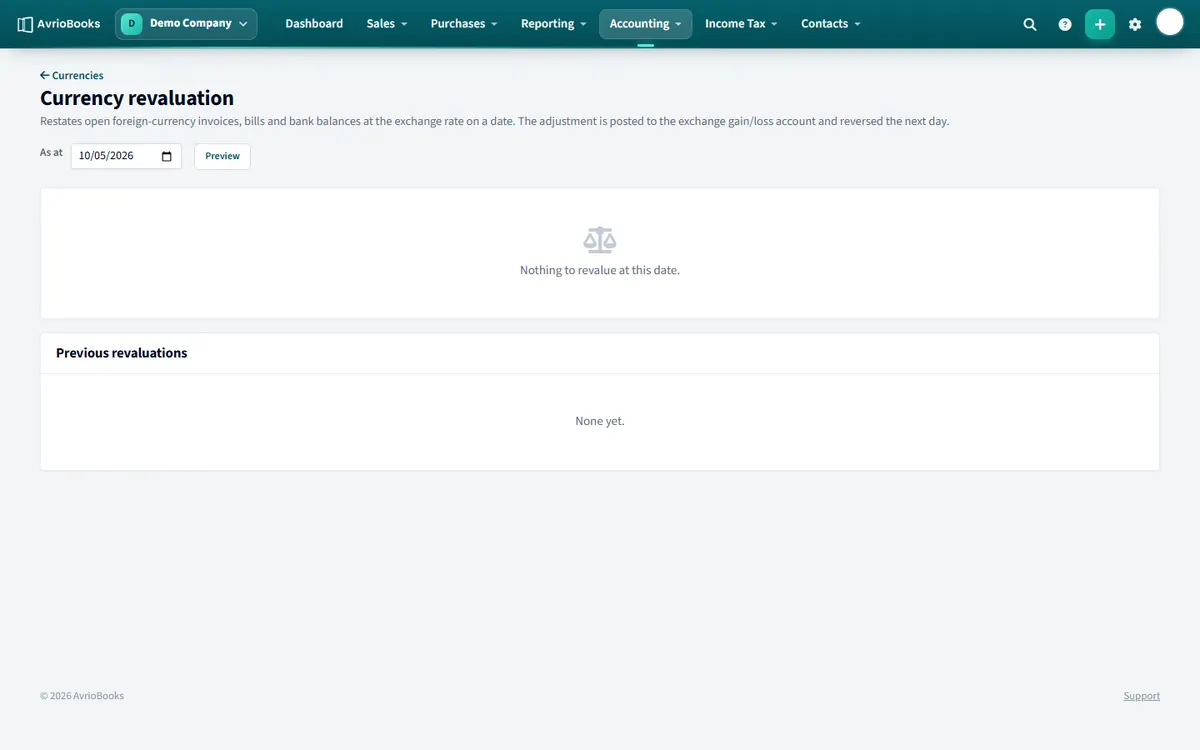
- Select Revalue currencies.
- Choose the date. AvrioBooks restates open foreign invoices, bills and bank balances at the rate on that date.
- Select Post revaluation. The adjustment goes to the exchange gain/loss account and is reversed the next day.
The Foreign Currency Exposure report shows your open foreign items valued at current rates.
How the base currency fits in
Your reports are always produced in your base currency, which you chose when you created the business and cannot change. A foreign-currency invoice is converted using its exchange rate when it is posted. If the rate changes before it is paid, the difference becomes a gain or loss.
A worked example
Your base currency is GBP. You invoice a customer 1,000 USD when the rate is 0.80, so the invoice is worth 800 GBP. When they pay, the rate is 0.78 and the 1,000 USD is worth 780 GBP. The 20 GBP difference is a realised exchange loss, booked when the payment is recorded.
A good routine
- Keep exchange rates up to date, either automatically or by adding rates when they change.
- Record foreign payments against bank accounts in the same currency where you have them.
- At month end, run Revalue currencies to restate open foreign items at the month-end rate.
- Check the Foreign Currency Exposure report to see how much you have at risk.
Things to watch
- If a payment is refused because no rate exists, add a rate dated on or before the payment date.
- A revaluation is reversed the next day, so run it for each period end you need.
- Multiple currencies need the Standard plan or above.
Frequently asked questions
Which plans include multiple currencies?
The Standard plan and above.
Do exchange rates update automatically?
Daily market rates are downloaded when automatic rates are switched on for your business. You can always add a rate by hand under Accounting then Currencies.
What is the difference between realised and unrealised gains?
Realised gains and losses are booked when a foreign invoice or bill is paid at a different rate. Unrealised ones are booked when you revalue your foreign balances.