
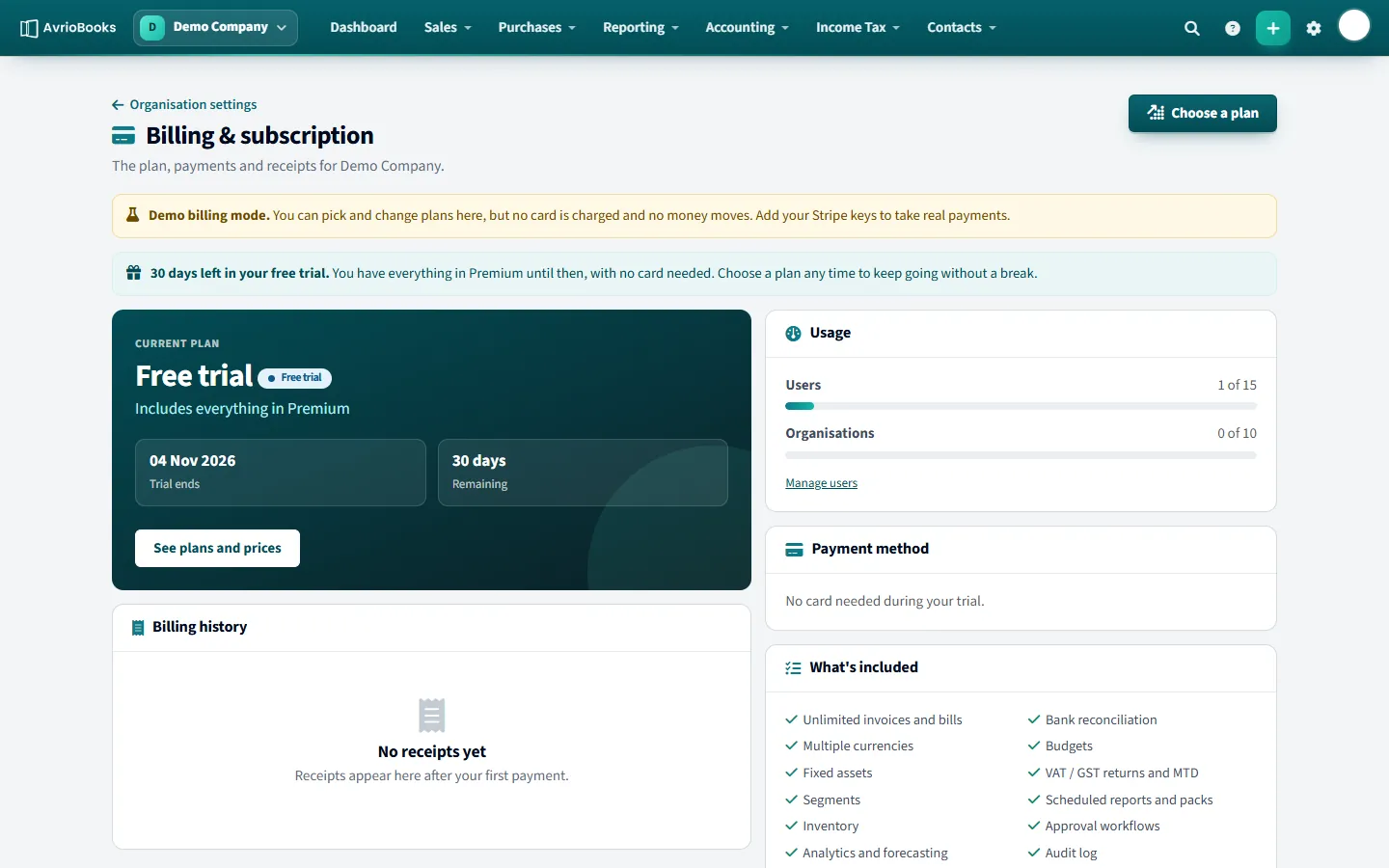
See your plan and usage
Open your profile menu, choose Organisation settings, then Billing & subscription. You see your current plan, how many days are left in your trial or billing period, your usage of users and organisations, your billing history and your payment method.
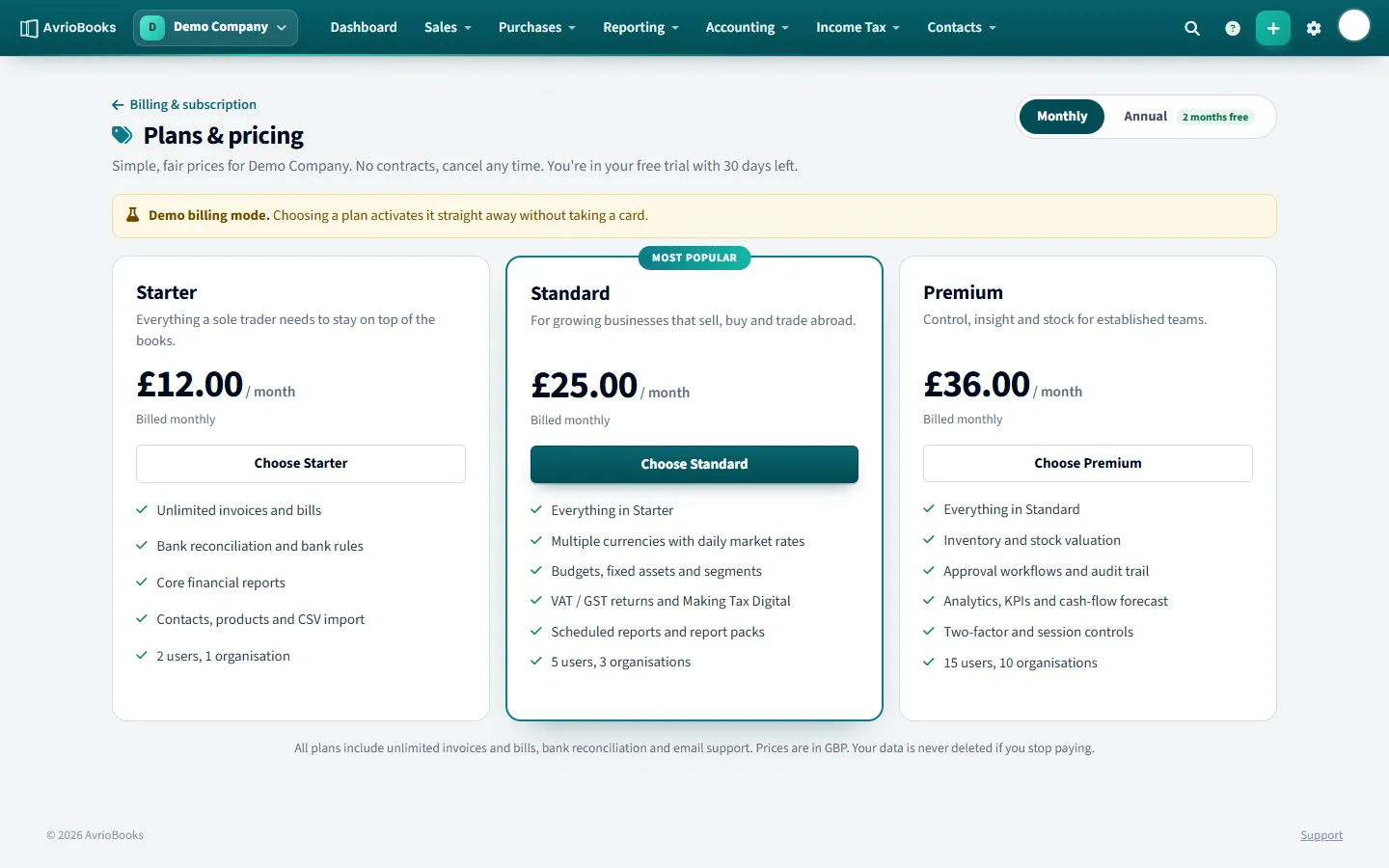
Choose a plan
- Select Choose a plan (or See plans and prices).
- Pick Monthly or Annual. Annual billing is ten times the monthly price, so you get two months free.
- Select the plan: Starter, Standard or Premium.
- Review the order summary, including VAT where it applies, then confirm. You enter your card on Stripe’s secure page; AvrioBooks never sees or stores your card number.
| Plan | Monthly price (excl. VAT) | Users | Businesses |
|---|---|---|---|
| Starter | £12 or $16 | 2 | 1 |
| Standard | £25 or $34 | 5 | 3 |
| Premium | £36 or $49 | 15 | 10 |
Prices are in GBP or USD to match your business’s base currency. UK businesses are charged 20% VAT on top.
Update your card or cancel
- Update card or billing details opens Stripe’s customer portal.
- Cancel stops the plan renewing. You keep access until the end of the period you paid for, and you can Resume before then.
- Receipts appear under Billing history after each payment.
If a payment fails
You keep full access for a few days while the payment is retried. Update your card to avoid interruption.
If your plan ends
Your business becomes read-only. You can still view and export everything, and your data is never deleted. Choose a plan to switch editing back on.
Frequently asked questions
How much does AvrioBooks cost?
Plans are priced per business per month, excluding VAT: Starter £12 ($16), Standard £25 ($34) and Premium £36 ($49). Annual billing is ten times the monthly price, so you get two months free.
Is there a free trial?
Yes. Every business starts with a 30-day trial that includes everything in Premium. No card is needed.
What happens if I stop paying?
Your business becomes read-only. You can still view and export everything and your data is never deleted. Choose a plan to switch editing back on.