
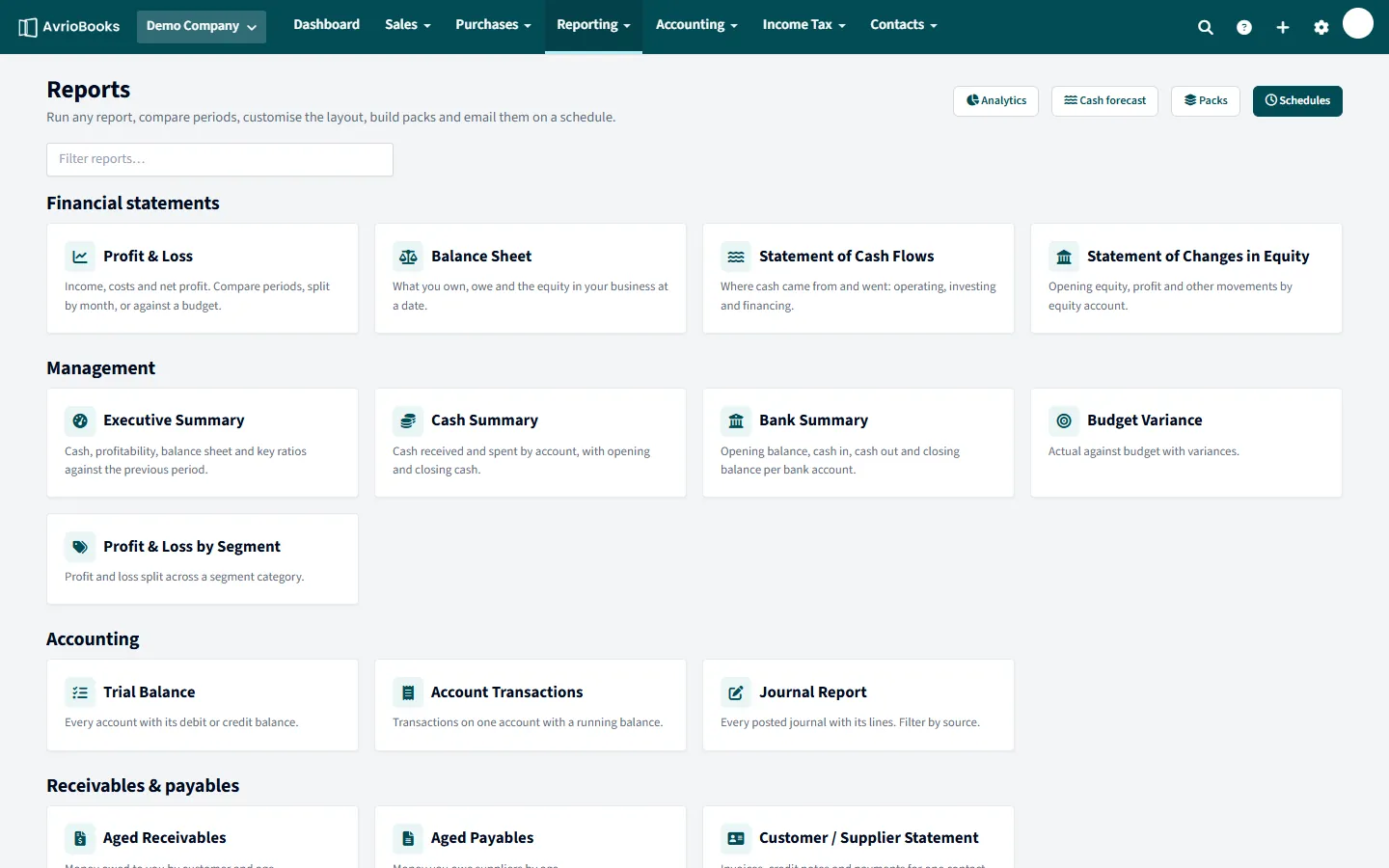
Run a report
- Select Reporting > All reports and choose a report, or use the shortcuts in the Reporting menu such as Profit and Loss or Balance Sheet.
- Choose the period. Presets include this and last month, this and last quarter, this and last financial year, financial year to date, last 30 days and last 12 months, or enter custom dates.
- Optionally compare periods: No comparison, Previous period(s) or Same period last year, and set the number of columns.
- Choose a segment category (Standard plan and above) or a budget to compare against, if the report supports it.
- Select Update.
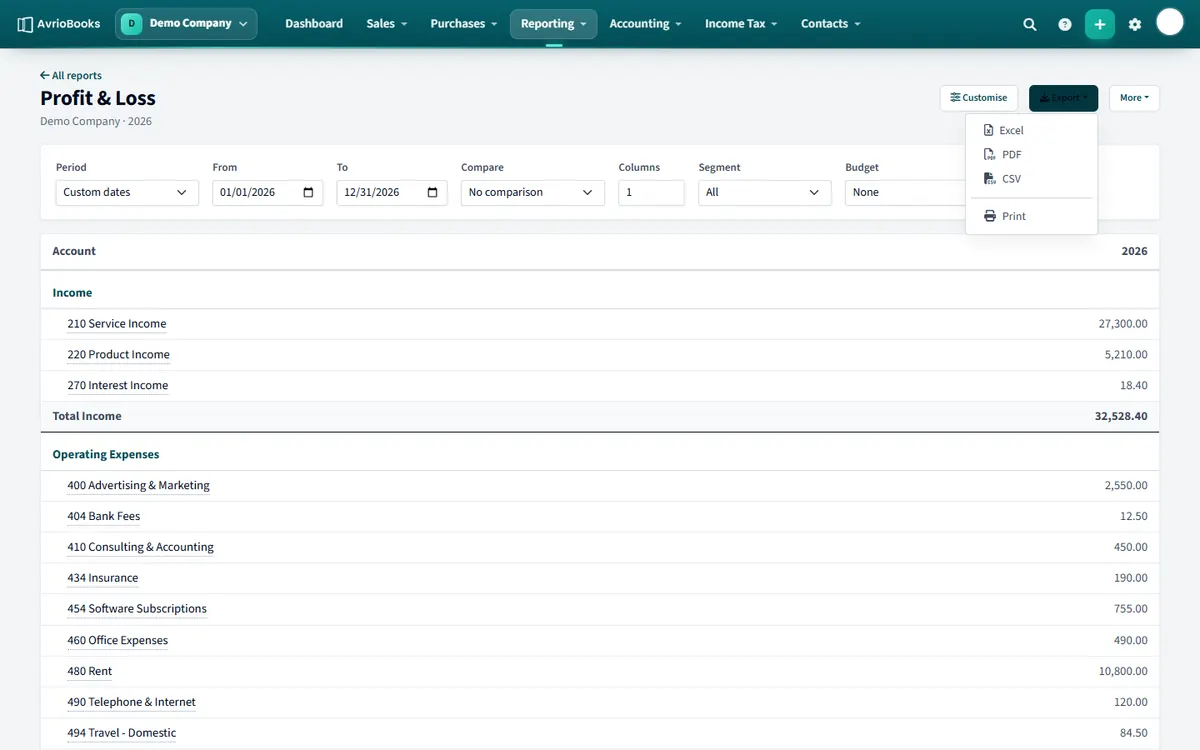
Export or print
Select Export and choose PDF, Excel or CSV.
More options
- Customise changes names, hides accounts and groups lines. See Customise a report layout.
- Add to a report pack and Email this report on a schedule are in the More menu. See Report packs and scheduled emails.
- On aged receivables and similar reports, Show invoice detail expands each total into its invoices.
Browse every report on the reports page.
Which report answers my question?
| I want to know… | Run |
|---|---|
| Did we make a profit? | Profit & Loss |
| What do we own and owe? | Balance Sheet |
| Where did our cash go? | Statement of Cash Flows or Cash Summary |
| Who owes us money? | Aged Receivables |
| Which bills are due? | Aged Payables |
| Is the ledger balanced? | Trial Balance |
| What happened on one account? | Account Transactions |
| How are we doing overall? | Executive Summary |
Getting useful comparisons
- Use Same period last year to compare seasonal businesses fairly.
- Use Previous period(s) with several columns to see a trend month by month.
- Compare against a budget on the Profit & Loss to see variance in one place.
Sharing the result
Export to PDF for people who read, Excel for people who analyse, and CSV for other software. For a regular delivery, build a report pack.
Frequently asked questions
What formats can I export a report to?
PDF, Excel and CSV.
How many reports does AvrioBooks have?
Twenty-five, grouped into financial statements, management, accounting, receivables and payables, sales and purchases, tax, assets and stock, and multi-currency.
Can I compare periods?
Yes. Choose Previous period(s) or Same period last year, and set the number of columns.
More in Reports & Planning
Still stuck? Our team is happy to help. Contact support or book a walkthrough.