
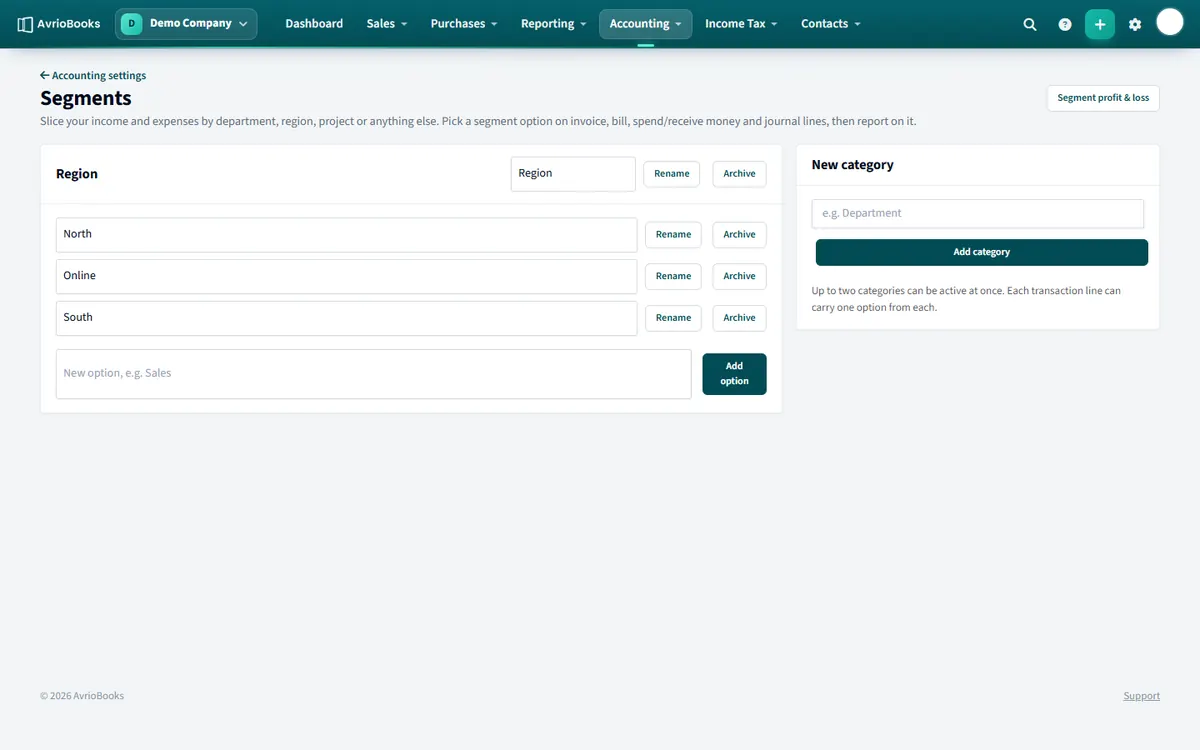
Create segments
- Select Accounting > Segments.
- Under New category, enter a name such as “Region” and select Add category.
- Add options inside it, for example North, South and Online. Options can be renamed or archived.
Use them
Each category appears as an extra column on invoice and bill lines. Pick an option for every line you want to analyse. Each transaction line carries one option per category.
Report on them
Run the Profit & Loss by Segment report and choose the category, or use the Segment filter on profit and loss, balance sheet and other reports.
Examples of segment set-ups
| Business | Category | Options |
|---|---|---|
| Agency | Client | One option per major client |
| Retailer | Region | North, South, Online |
| Charity | Fund | General, Restricted, Capital |
| Construction | Project | One option per job |
Best practice
- Keep categories few. Two or three well-chosen categories are easier to maintain than ten.
- Decide the options before you start, and be consistent when coding documents.
- Archive an option when it is finished rather than deleting it, so history is kept.
- Remember that each transaction line carries one option per category.
What you get from it
With segments in place you can see profit and loss for each region, project or department, and budget for each of them too. See Create a budget and compare it to actuals. Segments need the Standard plan or above.
More in Contacts, Products & Setup
Still stuck? Our team is happy to help. Contact support or book a walkthrough.