
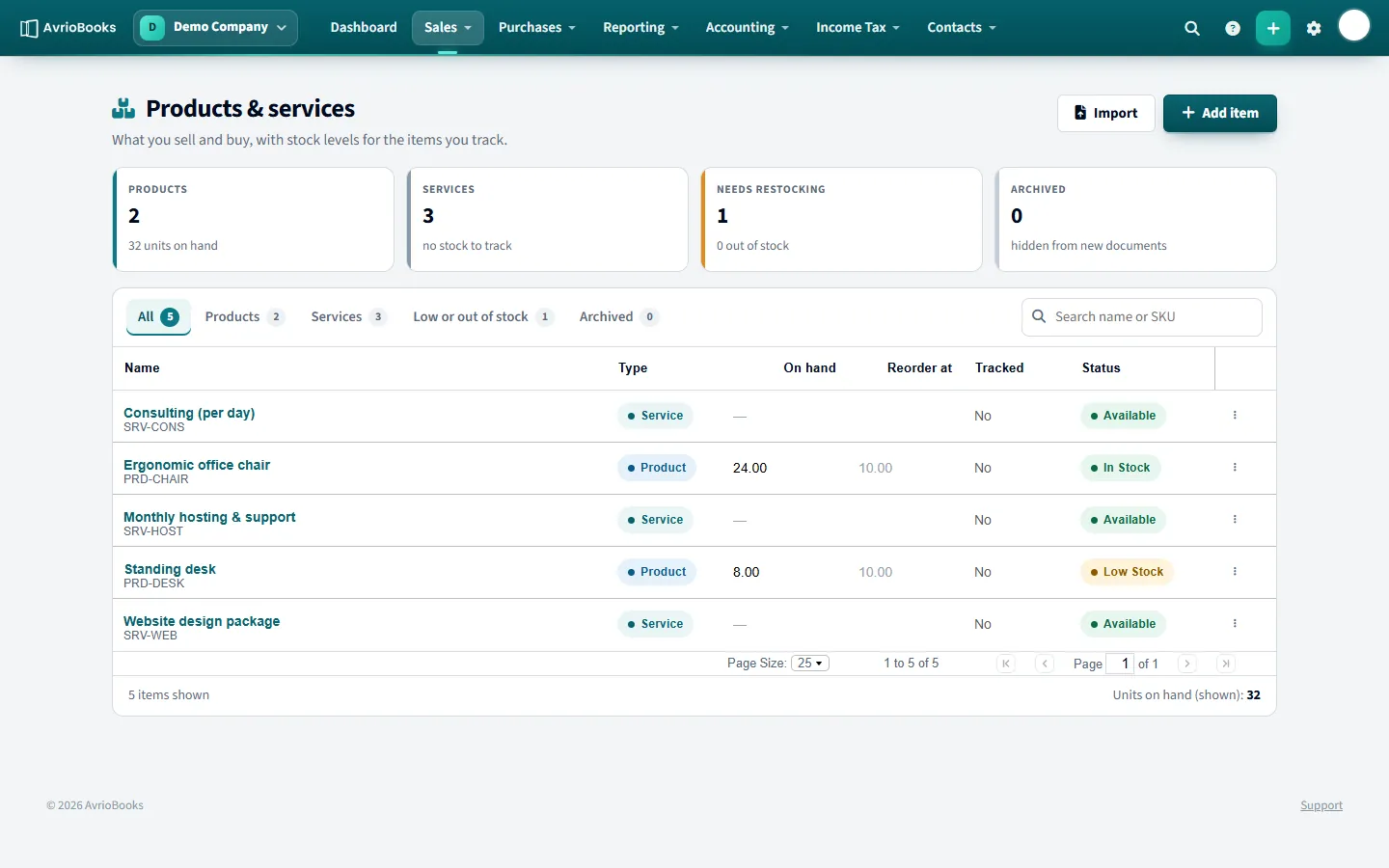
Add a product or service
- Select Sales > Products and services, then Add product.
- Enter a name and an optional SKU.
- Mark it as a service if there is no stock to count.
- Save. You can now pick it on invoice and bill lines.
Import a list
Use Import products with a CSV that has the columns name, sku, category and quantity. Download the sample from the import page.
Track inventory (Premium)
- Open a product and tick Track inventory.
- Choose the inventory account and the cost of goods sold account.
- Set a reorder level. The item is flagged as low stock at or below that quantity.
From then on bills add stock and invoices remove it. Stock is valued at weighted-average cost, and each sale posts the cost of goods sold.
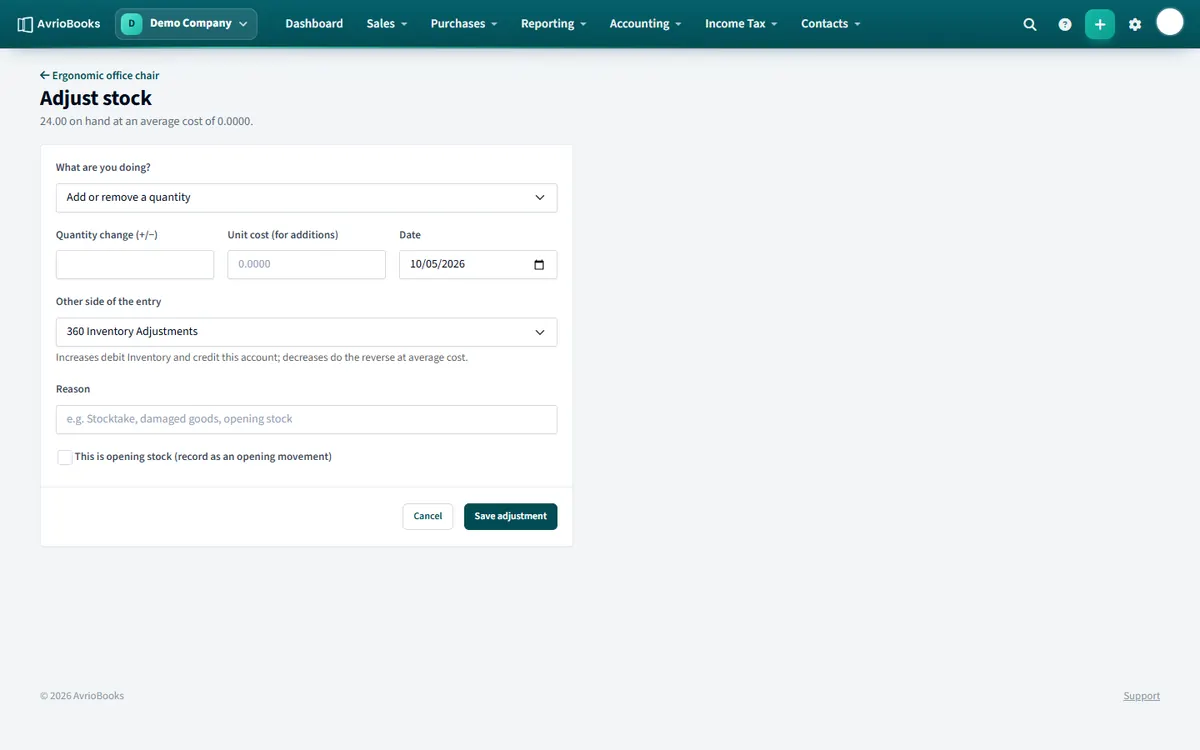
Adjust stock
- Select Accounting > Inventory and open the item.
- Choose Adjust, then Add or remove a quantity or Stocktake: set the quantity on hand.
- Enter the quantity change and, for additions, the unit cost. Choose the account for the other side of the entry.
- Tick This is opening stock if you are entering your starting stock. Save the adjustment.
The Stock Valuation and Stock Movements reports show quantity, value and every movement.
Products versus services
A service has no stock to count, such as consulting by the day. A product is something physical you buy or sell. Both can be picked on invoice and bill lines, and both can be analysed with the Sales by Item and Purchases by Item reports.
A worked example of weighted-average cost
You buy 10 chairs at 100 each, then 10 more at 120. You now hold 20 chairs at an average cost of 110. When you sell 5, the cost of goods sold posted is 5 × 110 = 550, and 15 chairs remain valued at 110. Each new purchase re-averages the cost.
Reorder levels
Each tracked product has a reorder level, ten by default. When stock reaches that quantity, or falls below it, the product shows as Low stock in the inventory list so you know to reorder. Out of stock appears when none are left.
Month-end routine for stock
- Run the Stock Valuation report as at month end and compare it with the inventory account in your balance sheet.
- Do a physical count and enter any difference as a stocktake adjustment.
- Review Stock Movements for anything unexpected.
See also Create a bill and record a payment, because bills are what add stock.
Frequently asked questions
How does AvrioBooks cost stock?
At weighted-average cost. Bills add stock, invoices remove it and each sale posts the cost of goods sold.
Which plan includes inventory tracking?
The Premium plan.