
Create a budget
- Select Accounting > Budgets, then New budget.
- Enter a name such as “FY budget” and the start date. The budget covers 12 months from that date.
- To save typing, tick Start from last year’s actuals and choose the 12 months to copy from.
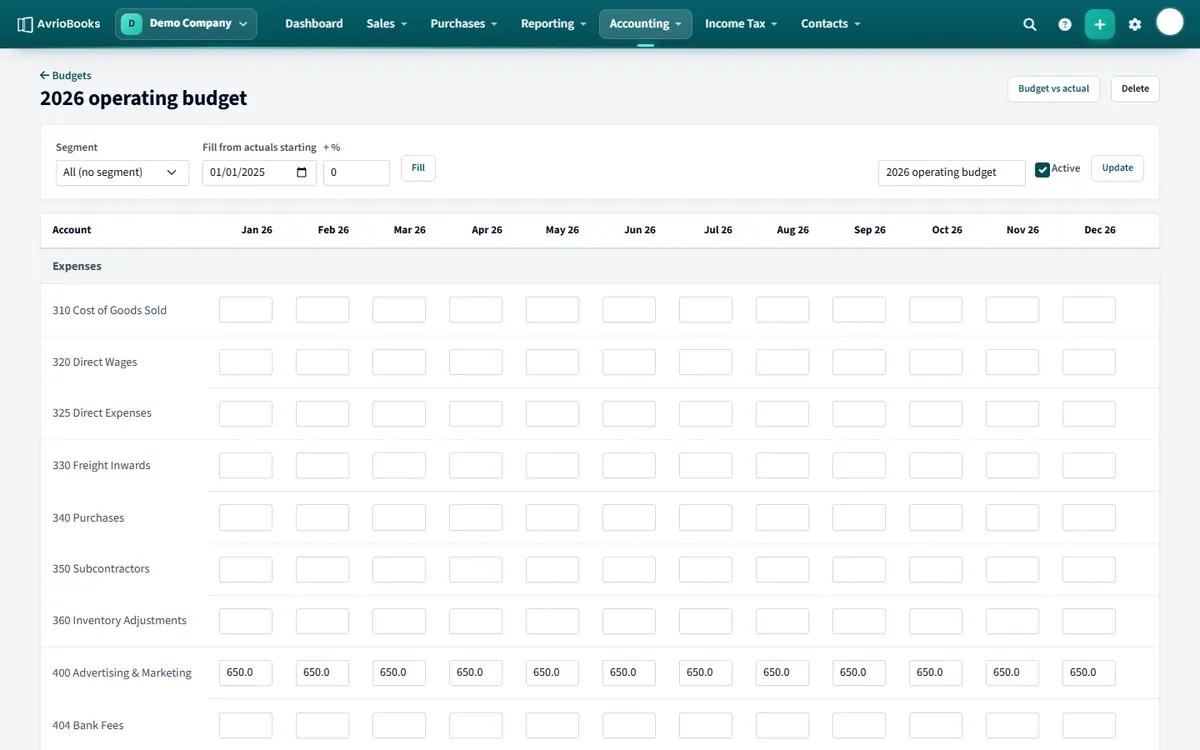
- Save and the budget opens in an editable grid.
Edit the figures
- Type amounts into any month for any revenue or expense account.
- Blank or zero cells are not stored.
- Type a total in any month and press ÷ 12 to spread it evenly across the year.
- Use Fill from actuals starting to copy real figures in again.
- If you use segments, choose a segment above the grid to budget for just that segment.
Budget versus actual
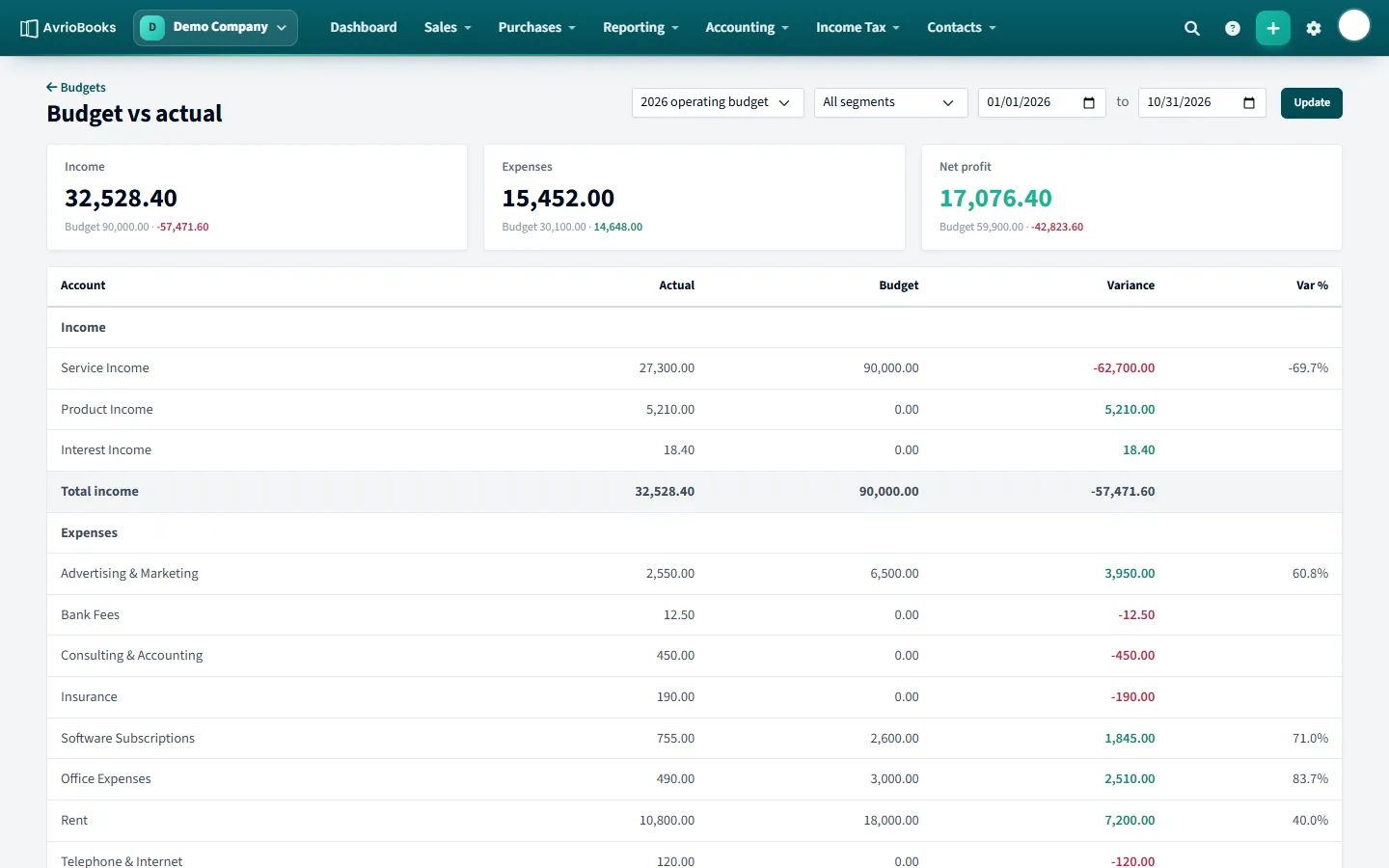
Select Budget vs actual (or run the Budget Variance report). Choose the budget, segment and dates. You see income, expenses and net profit against the budget, with the variance and a percentage for every account.
You can also pick a budget on the Profit & Loss report to show budget columns alongside actuals.
Tips for a realistic budget
- Start from last year’s actuals and adjust. It is far quicker than starting blank, and the figures are based on real seasonality.
- Budget at the level of detail you will actually review. A handful of key lines for income, payroll, rent and marketing beats a hundred lines nobody checks.
- Use the ÷ 12 shortcut for costs that are even through the year, and type individual months for seasonal items such as a December sales peak.
- Keep a separate budget for each financial year so you can compare years.
Reviewing the budget each month
- Open Budget vs actual and set the dates from the start of the year to last month end.
- Look at the variance and percentage for each account. Large variances are where to dig in.
- Click through to the account’s transactions to see what caused it.
- Decide whether to correct spending or to update the budget for next month.
Budgets by segment
If you track departments or projects with segments, choose a segment in the grid to budget for just that segment, and in Budget vs actual to compare it with its own results.
Common mistakes
- Comparing a budget for the whole year with part-year actuals. Set the report dates to the same range.
- Leaving income unbudgeted, which makes every sale look like a favourable variance.
- Never revisiting the budget. Update it when something significant changes.
Frequently asked questions
How long does a budget cover?
12 months from the start date you choose.
Can I copy last year’s figures into a budget?
Yes. Tick Start from last year’s actuals when you create the budget, or use Fill from actuals starting in the grid.
Which plan includes budgets?
The Standard plan and above.
More in Reports & Planning
Still stuck? Our team is happy to help. Contact support or book a walkthrough.