
Statement of Cash Flows
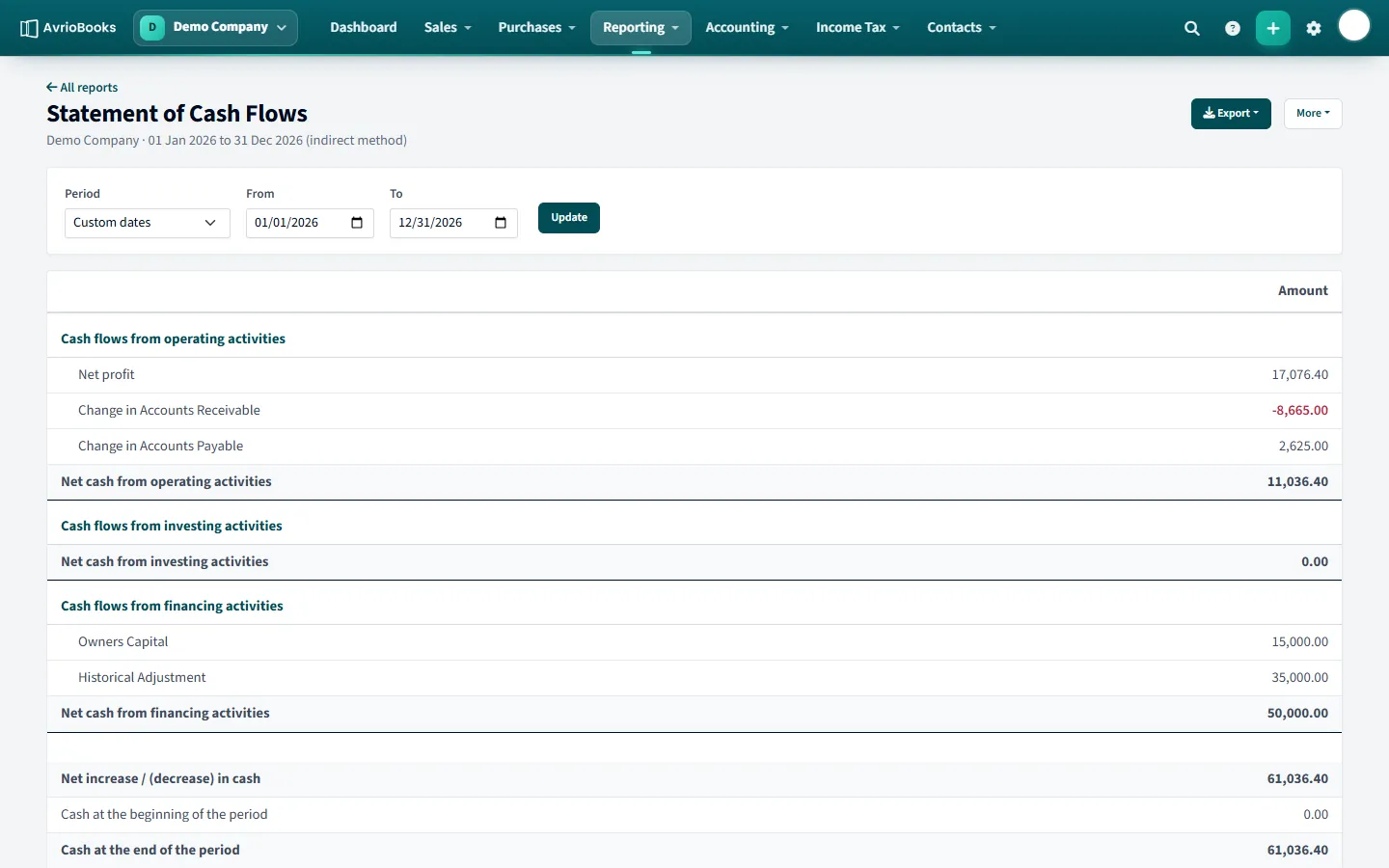
Run it from Reporting > Statement of Cash Flows, choose a period and select Update. AvrioBooks uses the indirect method:
- Operating activities start from net profit and adjust for changes in receivables and payables.
- Investing activities show spending on, and sales of, long-term assets.
- Financing activities show items such as owner’s capital and loans.
- The statement ends with the net increase or decrease in cash, and cash at the beginning and end of the period.
Executive Summary
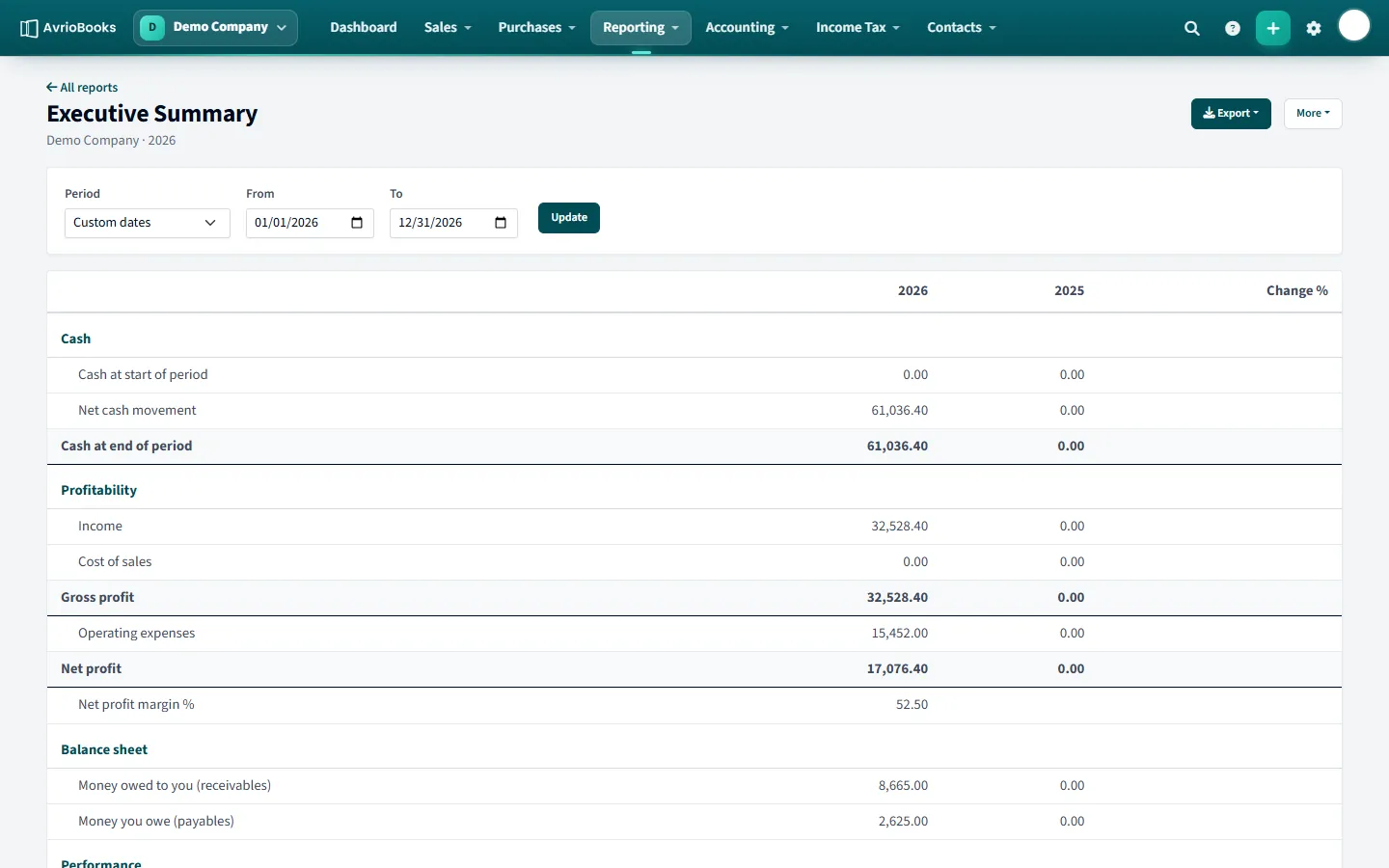
Run it from Reporting > Executive Summary. It brings together on one page:
- Cash: cash at the start and end of the period and the net movement.
- Profitability: income, cost of sales, gross profit, operating expenses and net profit, with net margin.
- Balance sheet: money owed to you, money you owe and other key balances.
- Key ratios, each compared with the previous period with the change shown.
Both reports can be exported to PDF, Excel or CSV, added to a report pack and scheduled by email.
Why profit and cash are different
Profit counts income when you invoice and expenses when you are billed. Cash only moves when money is paid or received. A growing business can be profitable and still short of cash because customers have not paid yet. The cash flow statement bridges the two: it starts with net profit, then adds the effect of money tied up in receivables and payables to arrive at the real change in cash.
A simple example
| Line | Amount |
|---|---|
| Net profit | 17,000 |
| Increase in money owed to you | −6,000 |
| Increase in money you owe suppliers | +2,000 |
| Net cash from operating activities | 13,000 |
Profit was 17,000 but only 13,000 of cash was generated, because 6,000 of sales are still waiting to be paid.
Using the executive summary
Use it for the monthly management conversation. Look first at cash movement, then profit and margin compared with the previous period, then the balance sheet and ratios. Because every figure shows its change against the prior period, you can see the direction of travel without opening several reports.
Next steps
- Add both reports to a monthly pack.
- Look ahead with the cash flow forecast.