
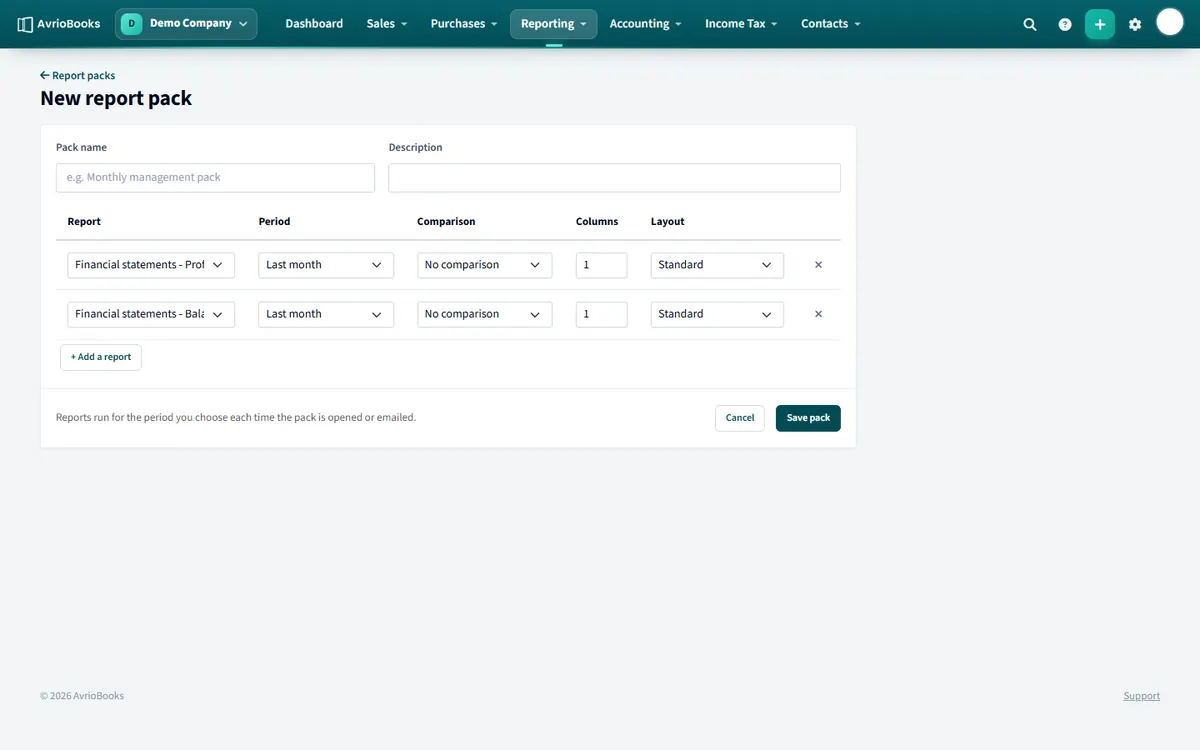
Create a pack
- Select Reporting > Report packs, then New pack.
- Give it a name such as “Monthly management pack”.
- Add each report. For every one choose the period (for example Last month), whether to compare with a previous period and an optional layout.
- Save. Open the pack any time to run it for the periods you chose, and download it as a PDF or an Excel workbook.
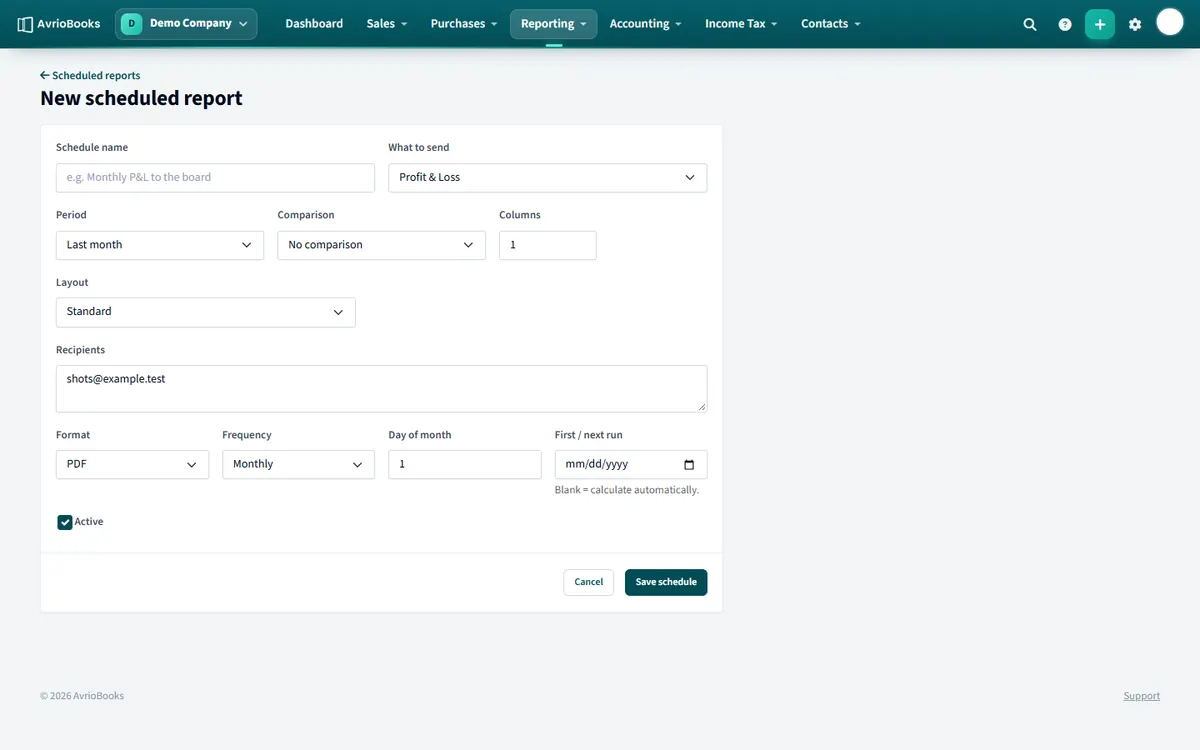
Email it on a schedule
- Select Reporting > Scheduled reports, then New schedule.
- Enter a schedule name and choose what to send: a report pack or a single report.
- For a single report, choose the period, comparison and layout.
- Enter the recipients, separated by commas.
- Choose the format (PDF, Excel or CSV) and the frequency: weekly, monthly or quarterly. Pick the day of the week or month, and optionally the first run date.
- Leave Active ticked and select Save schedule.
You can also start a schedule from any report with More > Email this report on a schedule.
Tip Schedule a pack to your accountant for the day after month end so they always have fresh numbers.
A sensible monthly pack
- Profit & Loss for last month, compared with the previous period
- Balance Sheet as at last month end
- Aged Receivables and Aged Payables
- Cash Summary or Statement of Cash Flows
- Budget Variance, if you budget
Scheduling tips
- Schedule monthly packs for a day or two after month end, once you normally finish reconciling.
- Choose Excel if recipients will analyse the numbers and PDF if they only need to read them.
- Add your own email address as a recipient so you see exactly what others receive.
- Use a layout to present figures in the way your board or bank prefers.
Packs versus single reports
Use a pack when several reports go together, and a single report schedule for something like a weekly aged receivables for your credit controller.
Pause or stop a schedule
Untick Active on the schedule to pause it without losing its settings, or delete it when it is no longer needed.
Frequently asked questions
How often can reports be emailed?
Weekly, monthly or quarterly, as a PDF, Excel or CSV file, to as many recipients as you list.
Which plan includes report packs and scheduled reports?
The Standard plan and above.
More in Reports & Planning
Still stuck? Our team is happy to help. Contact support or book a walkthrough.