
Open your profile
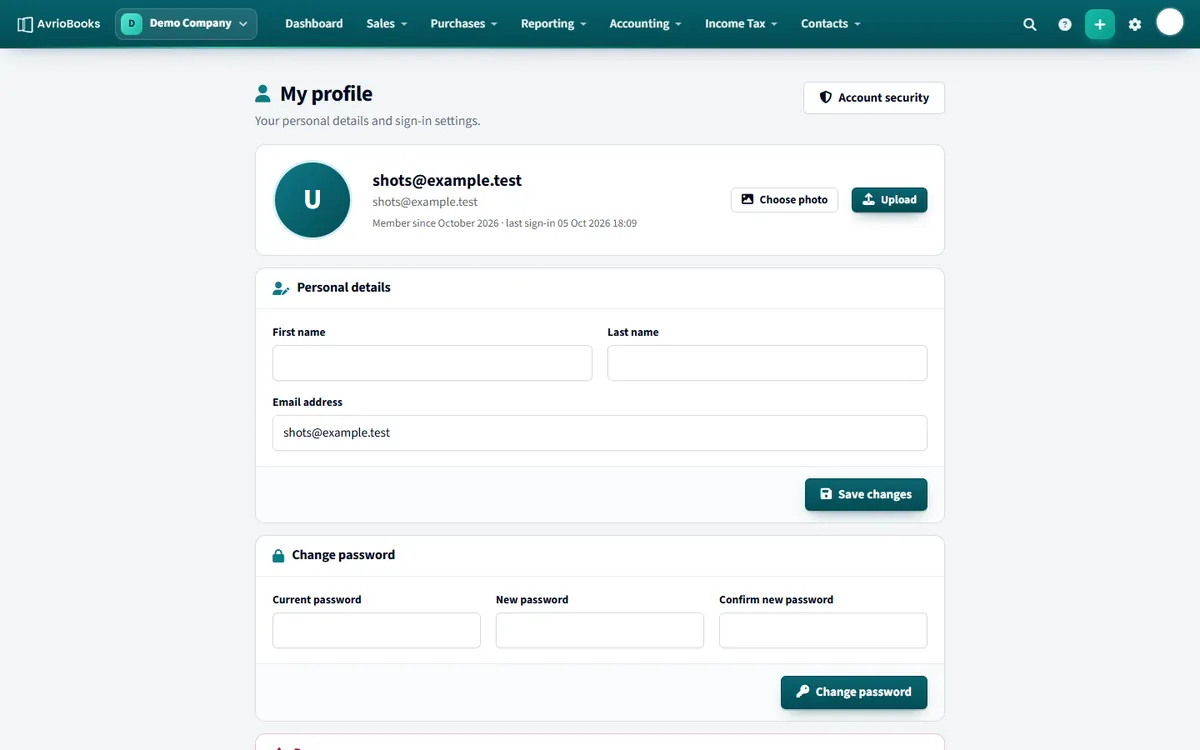
Open your profile menu at the top right and choose Profile.
Change your details
- Under Personal details, edit your first name, last name or email address.
- Select Save changes. If the email is already used by another account you are told so.
- To add a picture, select Choose photo.
Change your password
- Under Change password, enter your current password.
- Enter the new password twice.
- Select Change password. You stay signed in on this device.
If the current password is wrong you will see “Current password is incorrect.”. If you have forgotten it, sign out and use Forgot password?.
Security settings
Account security (in the same menu) is where you set up two-factor authentication, see your active sessions and review recent sign-ins. See Turn on two-factor authentication.
Delete your account
At the bottom of the profile page is the Danger zone. See Delete a business or your account.
Choosing a strong password
- Make it long, ideally a phrase of several unrelated words.
- Do not reuse a password from another service.
- Use a password manager so you do not need to remember it.
Keeping your account safe
If you have used a shared or public computer, visit Account security and use Sign out all others. Review recent sign-in activity for anything unfamiliar and consider turning on two-factor authentication.
What your profile controls
Your name, email address and photo appear to your colleagues across every business you belong to, for example in the audit log and on documents you create. Keep them accurate so people know who did what.
Forgotten password?
If you cannot remember your current password, sign out and use Forgot password? on the sign-in page.