
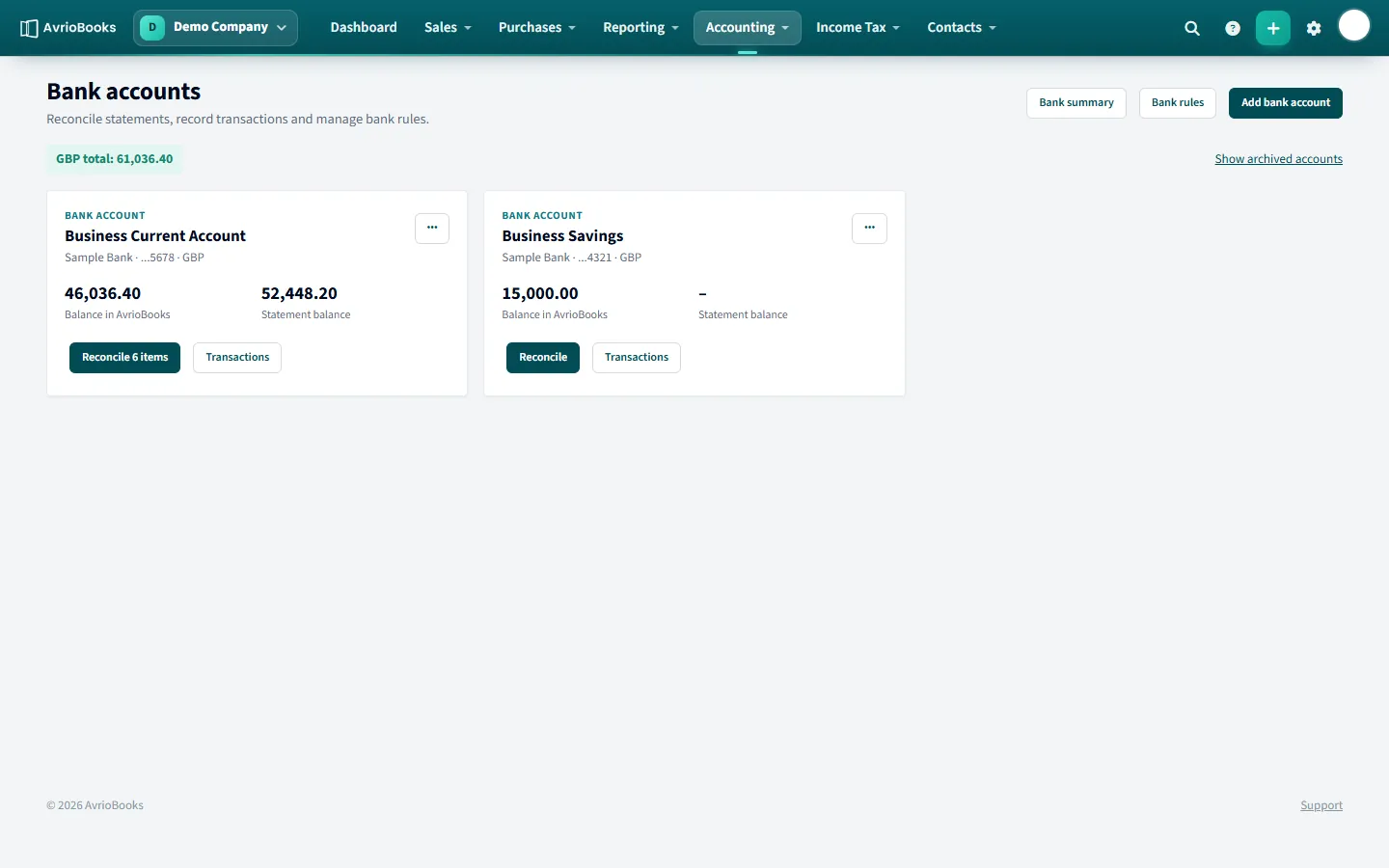
Add an account
- Select Accounting > Bank accounts.
- Select Add bank account (or Add your first bank account).
- Choose the account type: bank account, credit card or cash account.
- Enter an account name such as “Business Current Account” and the bank name. Add the account number and sort code if you want them on file.
- Choose the currency. Foreign currency accounts are supported.
- Enter the opening balance and select Save.
Edit or archive an account
Use Edit details on the account card to change its name or bank details. Accounts you no longer use can be archived; use Show archived accounts to see them again.
Which account type should I choose?
| Type | Use it for |
|---|---|
| Bank account | Current and savings accounts you receive statements for |
| Credit card | Company credit cards, so card spending can be imported and reconciled like any other account |
| Cash account | Petty cash and other cash you hold |
Getting the opening balance right
Enter the balance the account had on the day you started using AvrioBooks (your conversion date), not today’s balance. If you have already set your balances on the Opening balances page, bank accounts entered there also set the account’s opening balance, so the two always agree. A wrong opening balance is a common reason a bank balance later fails to match the statement.
Foreign currency accounts
When you choose a currency other than your base currency, transfers between that account and an account in a different currency ask for the amount that was received. Payments to and from the account must follow the currency rules described in Problems recording a payment.
What to do next
- Import your first statement. See Import a bank statement.
- Reconcile the lines. See Reconcile bank transactions.
- Create bank rules for transactions that repeat every month.